
Learn analytics
Understand website revenue metrics
Read net, attributed and unattributed revenue without mixing currencies or guessing attribution.
- Stripe

What it is
Revenue reporting adds confirmed server-side payment records to the selected site's analytics. Premely reports net revenue, transaction context and attribution status separately for each currency.
Why use it
Use revenue metrics to connect commercial outcomes with measured website activity while keeping refunds, disputes, currency boundaries and missing attribution visible.
Before you start
- Use a supported active revenue source or send confirmed server-side payment events for the selected site. Check Stripe availability before assuming that connection can be enabled.
- Treat the payment provider or server-side revenue ledger as the financial source of truth. A browser success page must not create revenue by itself.
How to use it
- 1
Choose the reporting period
Use a date range that contains the payment activity you need to review. Keep the site's reporting timezone in mind when a payment occurs near a calendar boundary.
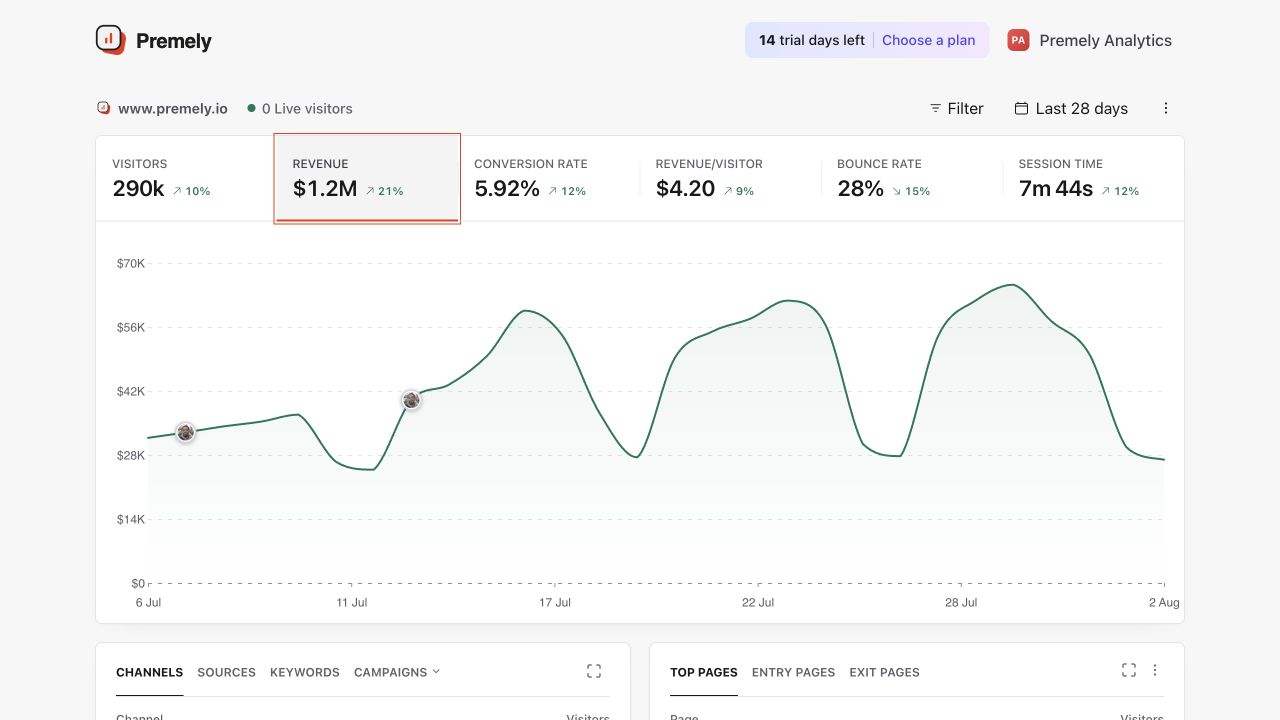
Read revenue together with transaction count, source and the selected reporting currency. Shown in Premely with disposable demo data; your values will differ.
- 2
Read net revenue by currency
Net revenue reflects the signed payment ledger for the period, including negative adjustments such as refunds or disputes where present. Premely keeps each currency in its own row.
- 3
Read attributed revenue
Attributed revenue has a valid site-scoped attribution link to measured website activity. Use it only within the attribution limits shown by the product.
- 4
Keep unattributed revenue visible
Unattributed revenue is real payment activity without a valid website attribution link. Premely reports it instead of assigning a source, page or campaign that cannot be proven.
- 5
Compare revenue with conversions
Use conversion counts and revenue together. More conversions do not always mean more revenue, and a higher revenue total can be driven by a smaller number of larger transactions.
What to expect
Currencies are never silently combined
Do not add GBP, USD or other currencies into one total without an explicit conversion method outside Premely. Read each currency as a separate commercial result.
Attribution has an honest boundary
Premely does not infer attribution from raw email matching or invent a source when the deterministic link is absent. Unattributed revenue remains part of the total.
Revenue and traffic filters have different boundaries
The current dashboard does not return ledger revenue while an analytics filter is applied. Do not label the site's unfiltered revenue as revenue earned by a selected source, campaign, country or page. Read availability and attribution states explicitly.
Useful ways to apply this
Review a paid campaign
Review campaign visitors and goal completions for the campaign period, then review the site's revenue separately by currency. Do not infer campaign-level revenue when the reporting contract cannot link or filter those payments.
Investigate a refund-heavy period
Read the net result rather than gross payment volume, then review the provider ledger when the commercial cause needs transaction-level confirmation.