
Integrations
Connect Polar revenue
Verify Polar orders and refunds for one Premely site.
- Polar

What it is
The Polar connection receives Standard Webhooks for supported paid orders and refunds through a site-specific Premely endpoint.
Why use it
Use it when Polar is the source of truth for payments in a developer product or subscription business.
Before you start
- You need owner or admin access in the Premely workspace.
- You need permission to create a webhook in Polar.
- Choose Test or Live to match the Polar environment you are connecting.
How to use it
- 1
Reserve the Premely webhook URL
Open your site's Settings, choose Integrations, find Polar and choose Connect. Select Test for Polar Sandbox or Live for your production organisation and choose Create Polar endpoint. Copy Webhook URL and keep the dialog open. Polar supplies the signing secret next.
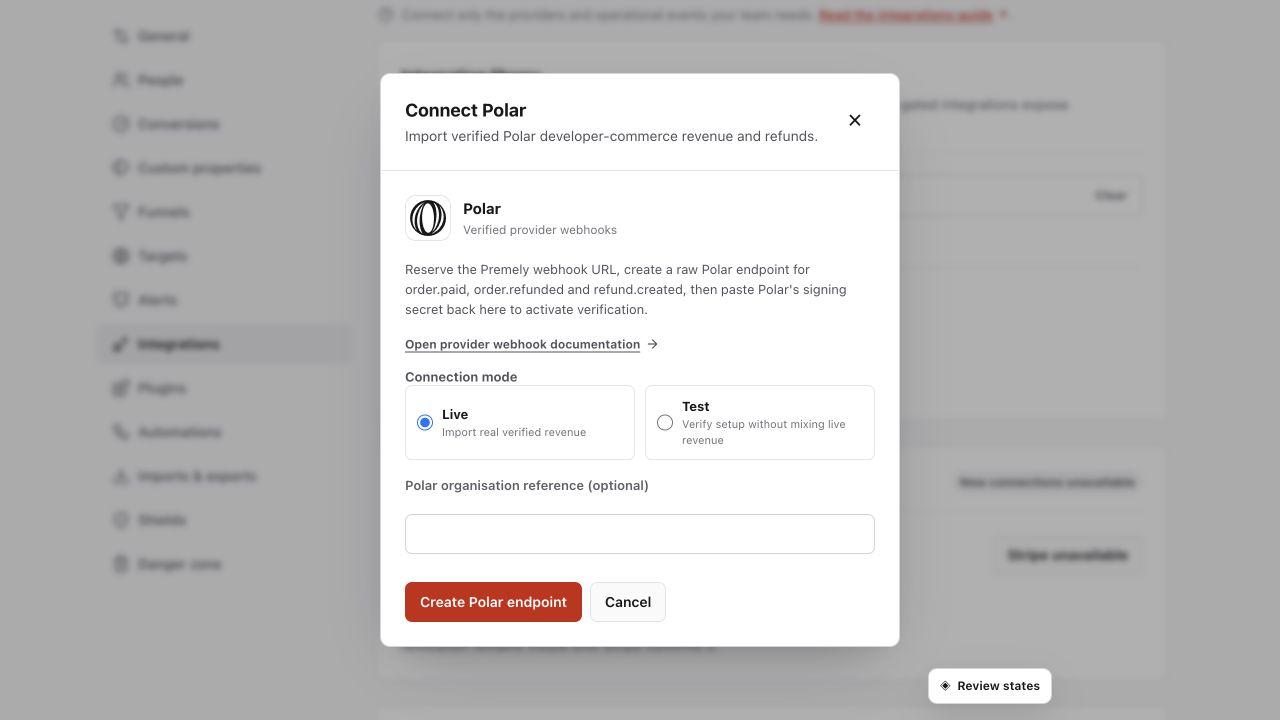
Create the Polar endpoint for the selected site, then configure the matching provider webhook. Shown in Premely with disposable demo data; your values will differ.
- 2
Create the Polar webhook
Open the matching Polar organisation's Settings, then its webhook endpoints and Add Endpoint. Paste the Premely URL and choose Raw as the format. Generate a signing secret and retain it for the next step. Do not choose the Slack or Discord format for Premely.
- 3
Select supported events
Select
order.paid,order.refundedandrefund.created, then save the endpoint. Copy that endpoint's signing secret; an organisation access token is not the same credential. - 4
Activate with Polar's signing secret
Return to Premely, paste the Polar endpoint secret into Provider signing secret and choose Activate Polar revenue. The URL and secret must belong to the same Polar endpoint and environment.
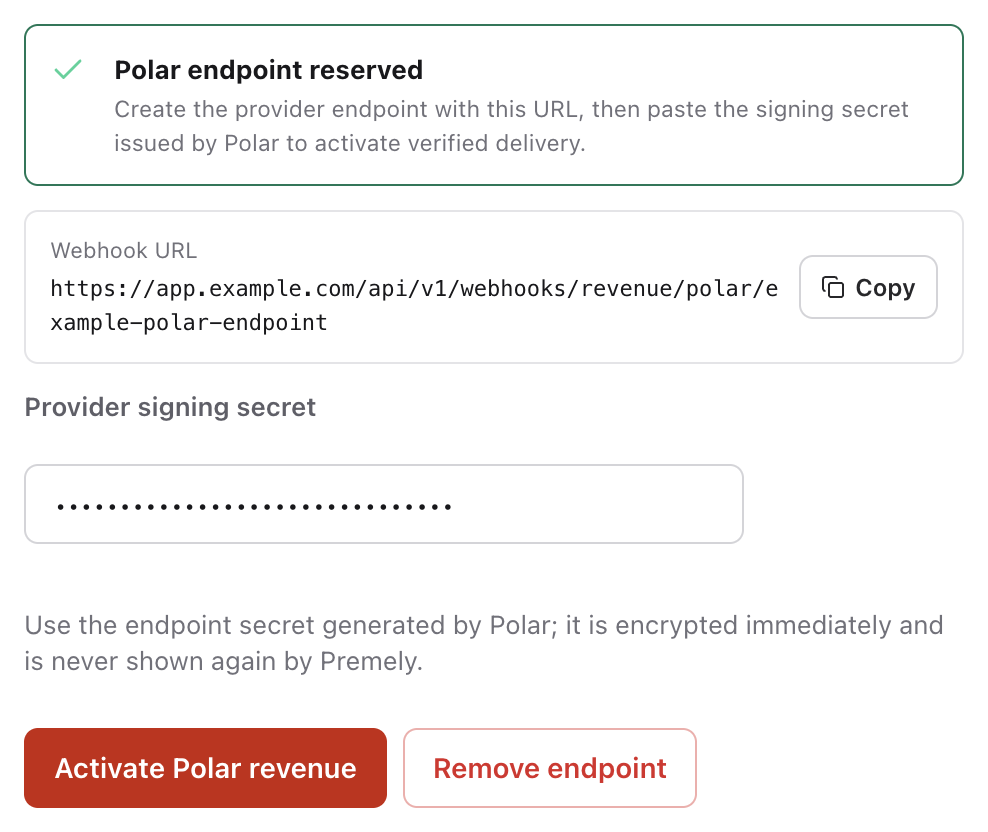
Paste the secret from the matching Polar endpoint, then choose Activate Polar revenue. The example is not an organisation access token. Captured from the real Premely interface using disposable local-review values. Example URLs and credentials cannot be used for a real connection.
- 5
Verify the first event
Use a supported paid order or refund in Polar Sandbox for a Test connection. Reopen Polar in Premely and check Last verified event. If it is still waiting, check the endpoint URL, Raw format, signing secret and selected events. A Live connection must receive an event from the production organisation.
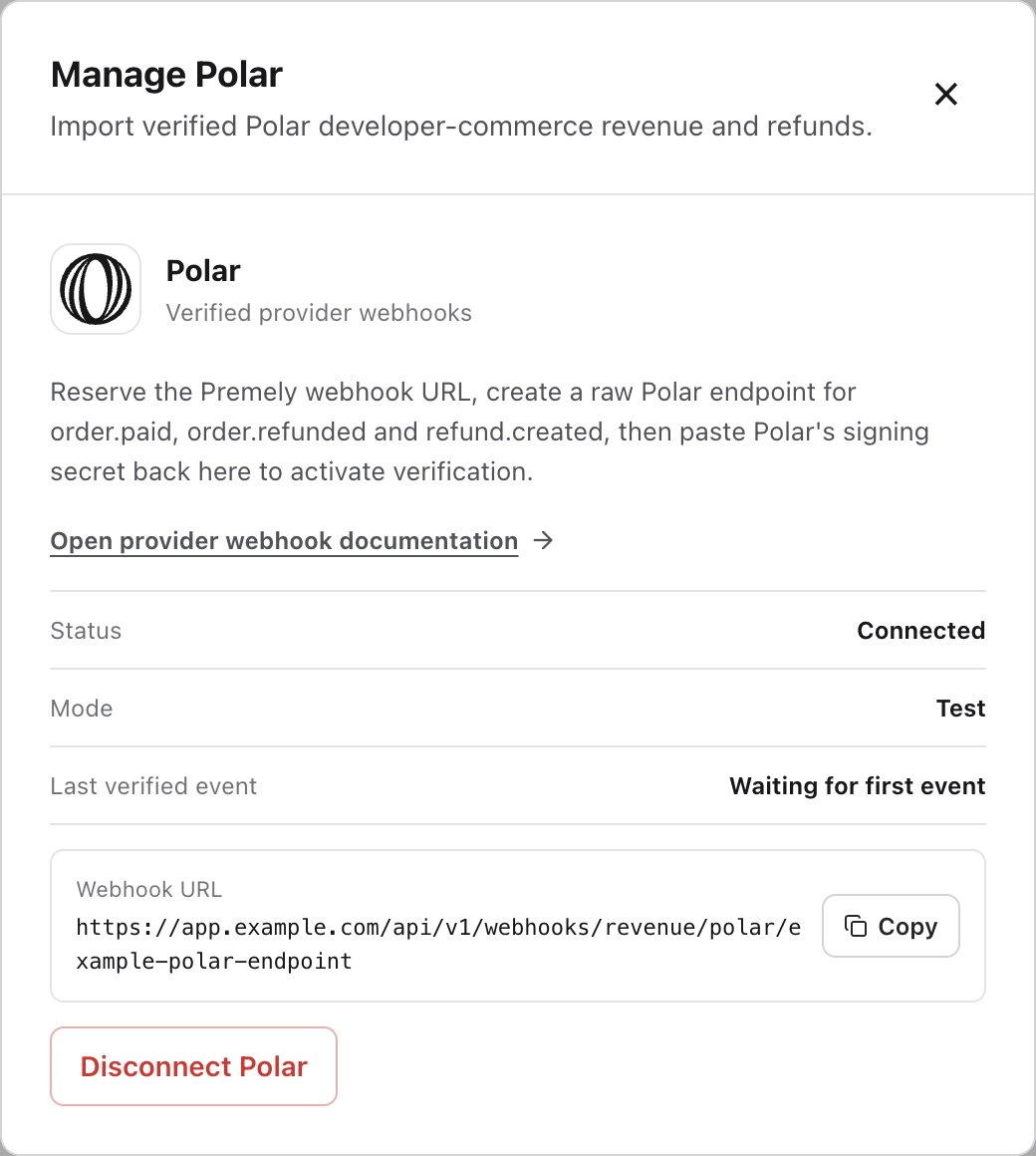
After a supported Polar event, check for a timestamp beside Last verified event. This example is configured but has not received an event. Captured from the real Premely interface using disposable local-review values. Example URLs and credentials cannot be used for a real connection.
What to expect
Check the site and environment
Each connection sends revenue to one Premely site. A Test connection does not verify a Live connection. Keep the provider environment and the Premely mode the same throughout setup.
Currencies stay separate
Premely does not silently combine or convert different currencies. Provider revenue appears in Revenue and Revenue / Visitor only in its valid currency context.
Revenue and visitor attribution are separate
A verified payment can appear in revenue without being linked to a visitor. Premely shows the visitor link only when the payment carries matching Premely attribution data.
Duplicate deliveries do not duplicate revenue
If the provider retries the same event, Premely does not count it as another payment.
Refunds do not inflate revenue
Supported refunds are recorded with their correct economic direction and provider event ID.
Useful ways to apply this
Developer product revenue
Review Polar orders and refunds beside acquisition, conversion and engagement reporting.