
Automations
Connect a signed webhook
Send selected Premely events to an HTTPS endpoint you control and verify each delivery before you use it.
What it is
A signed webhook sends a minimized Premely event envelope to your HTTPS endpoint. Each delivery includes a signature you can verify with the signing secret created for that destination.
Why use it
Use it when your own backend, internal tool or custom workflow needs to react to a Premely event without routing it through a provider-specific automation service.
Before you start
- You need Owner or Admin access to manage automation destinations.
- Prepare an HTTPS endpoint that can read the request body exactly as received before it is parsed or transformed.
- Plan to copy the signing secret immediately after you save the destination. Its complete value is shown once.
How to use it
- 1
Open Automation destinations
Open the selected site's Settings, then choose Automations.
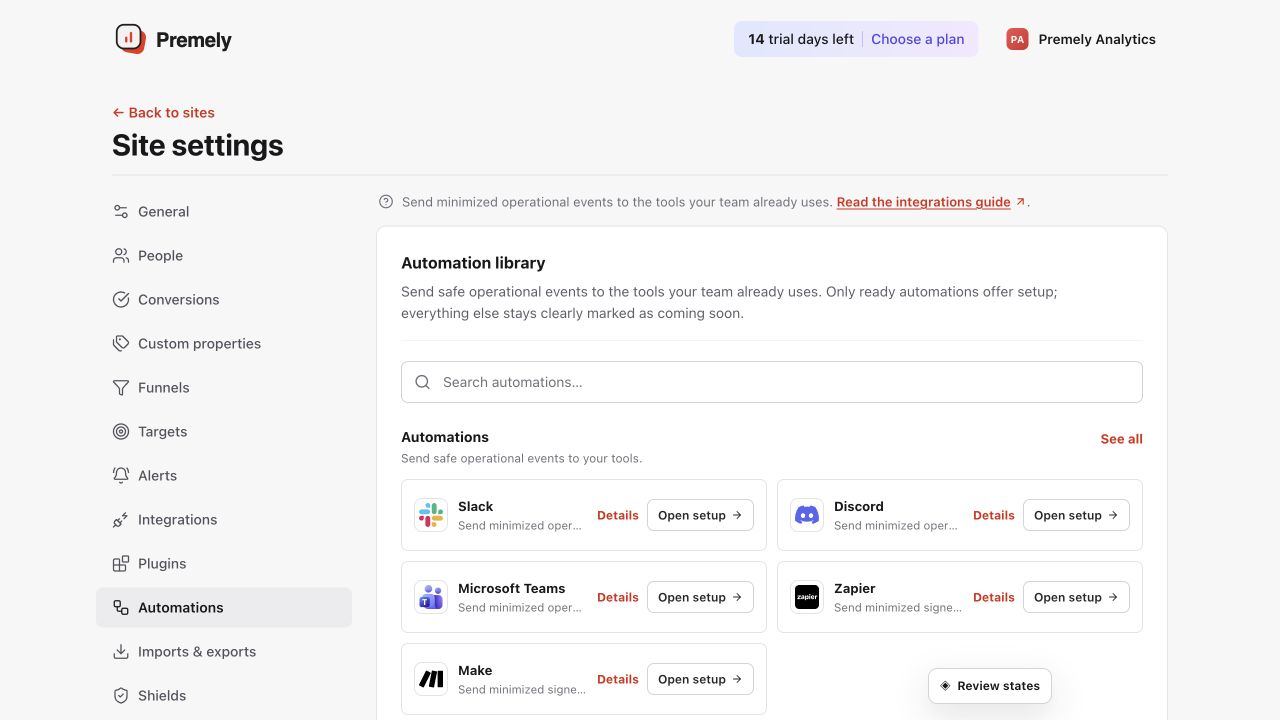
Choose the destination first, then configure only the events the receiving workflow needs. Shown in Premely with disposable demo data; your values will differ.
- 2
Choose Signed webhook
Choose Signed webhook and enter the HTTPS endpoint your team controls. Use the endpoint for one clear workflow so the connection stays easy to maintain.
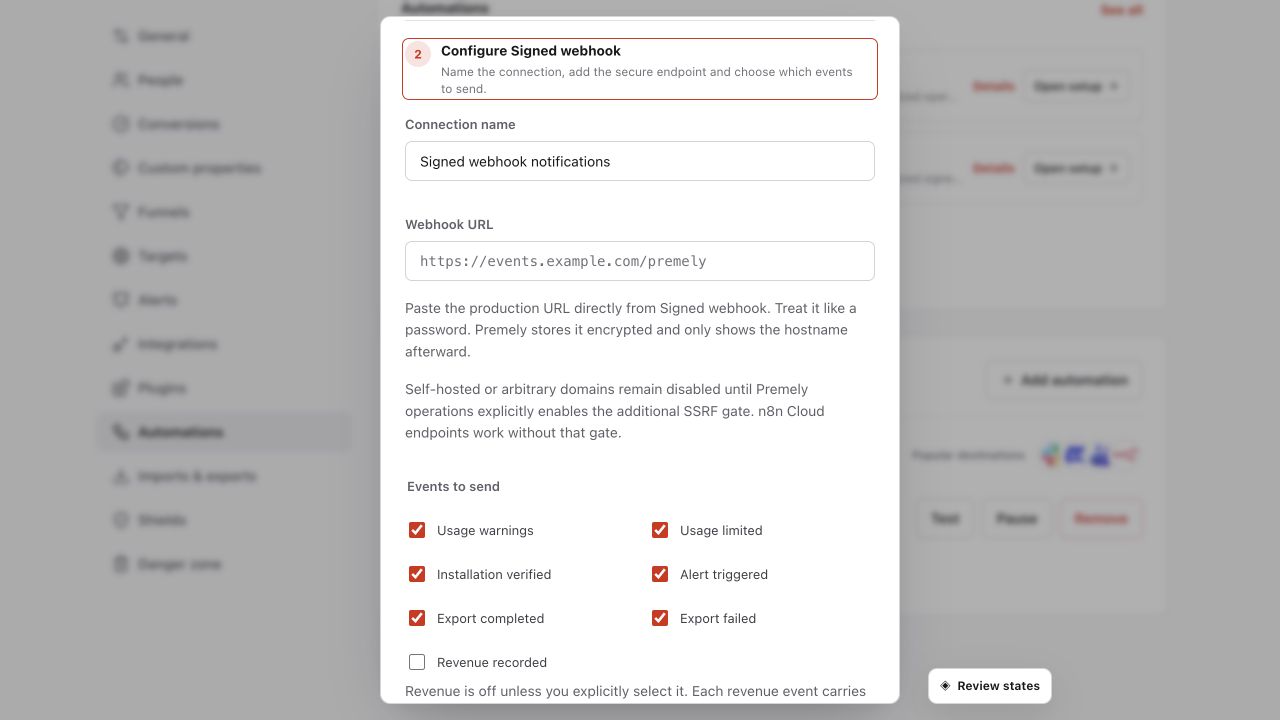
Use an HTTPS endpoint, select only required events and retain the generated signing secret securely. Shown in Premely with disposable demo data; your values will differ.
- 3
Select only useful events
Choose the Premely events that have a real next action. For example, send
alert.triggered.v1to an incident workflow orexport.completed.v1to a controlled data workflow. - 4
Save and store the signing secret
Save the destination and copy the signing secret while it is visible. Store it in the secret manager or deployment environment used by the receiving endpoint.
- 5
Send a test before relying on it
Send a test from Premely, verify its signature and confirm that the endpoint returns a successful response. Pause the destination while you change the receiver, then test it again before resuming.
Verify the delivery signature
Verify the x-premely-signature header against the raw request bytes before your application trusts or parses the event body.
import { createHmac, timingSafeEqual } from "node:crypto"

export function isPremelySignatureValid(
  rawBody: Buffer,
  header: string | undefined,
  signingSecret: string,
) {
  const supplied = header?.match(/^v1=([a-f0-9]{64})$/)?.[1]
  if (!supplied) return false

  const expected = createHmac("sha256", signingSecret)
    .update(rawBody)
    .digest("hex")

  return timingSafeEqual(
    Buffer.from(supplied, "hex"),
    Buffer.from(expected, "hex"),
  )
}
On smaller screens, scroll horizontally to see all columns.
| Header | Use |
|---|---|
x-premely-delivery-id | Deduplicate a delivery that your endpoint has already processed. |
x-premely-event | Read the event type without parsing the body. |
x-premely-schema-version | Confirm the supported event envelope version. Current value: 1. |
x-premely-signature-algorithm | Confirm the expected hmac-sha256 algorithm. |
x-premely-signature | Verify v1=<lowercase hex HMAC-SHA256> against the raw UTF-8 request body. |
- Compare the calculated and supplied signature in constant time. Reject an unknown signature version or an invalid signature.
- Keep the raw body available for verification. Re-serializing parsed JSON changes the bytes and can make a valid signature fail.
Available webhook events
On smaller screens, scroll horizontally to see all columns.
| Event | When it is useful |
|---|---|
installation.verified.v1 | A site has verified its first event. |
alert.triggered.v1 | A configured metric alert requires a workflow or response. |
usage.warning.v1 | Workspace usage reaches a warning threshold. |
usage.limited.v1 | Workspace usage reaches its limit state. |
export.completed.v1 | An export is ready for the approved receiving workflow. |
export.failed.v1 | An export needs review or retry. |
revenue.recorded.v1 | A connected revenue event is available to an approved workflow. |
What to expect
Deliveries are at least once
Your endpoint can receive a delivery more than once, and delivery order is not guaranteed. Use x-premely-delivery-id to make your handler idempotent.
The envelope is minimized
Webhook payloads are designed for the selected event workflow. Do not expect visitor identity, IP address or user-agent data in the event envelope.
The secret is shown once
Store the signing secret safely when you create the destination. If you need a replacement, create a new destination and update the receiving endpoint before you rely on it.
Useful ways to apply this
A custom incident workflow
Send a triggered analytics alert to an internal response system that can assign the next action.
A controlled data pipeline
Start an approved process when an export completes without exposing a permanent download URL in the webhook event.