
API
Get started with the Premely API
Authenticate with the Premely API and make your first workspace-scoped request.
What it is
The Premely API is a JSON REST API for workspace-scoped sites, analytics, goals, funnels, alerts, usage, exports, audit records, revenue events and safe integration status.
Why use it
Use the API to connect a reporting service, automate a controlled workflow or read Premely data from your own server without sharing a personal sign-in.
Before you start
- You need owner or admin access in the workspace.
- Decide the smallest set of permissions the integration needs before you create the token.
How to use it
- 1
Open API settings
Open Settings, then choose API.
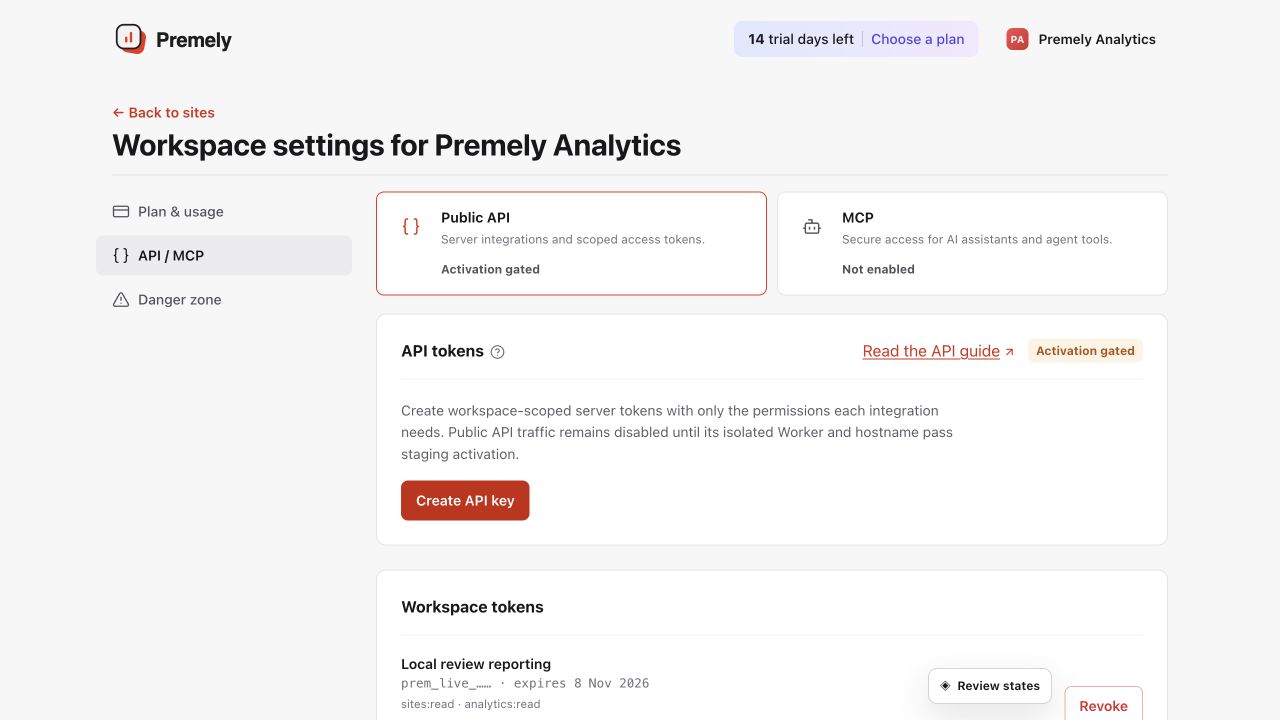
Create a named token with the shortest useful expiry and the minimum required permissions. Shown in Premely with disposable demo data; your values will differ.
- 2
Name the token and set its expiry
Use a clear name such as
Production reporting, then choose an expiry of 30, 90 or 365 days. - 3
Choose least-privilege permissions
Start with the read-only permissions your integration needs, such as
sites:readandanalytics:read. Add more only when the workflow requires them. - 4
Create and store the token
Create the token, copy it when it is shown, and store it in an approved secret manager. Premely shows the full token once.
- 5
Make a test request
Send
GET /v1orGET /v1/siteswith the token in theAuthorizationheader. Keep the token on your server and check the HTTP status before reading the JSON response. - 6
Review or revoke access
Use the workspace token list to review the token label, scopes, expiry, request limits and last use. Revoke it when the integration no longer needs access.
Make your first API request
The production base URL is https://api.premely.io. Send the token as a bearer credential from a trusted server environment.
curl --fail-with-body \
  --header "Authorization: Bearer $PREMELY_API_TOKEN" \
  'https://api.premely.io/v1/sites?limit=50'
API token scopes
Every /v1 operation checks the token, workspace, expiry, site access and required scope before it reads or changes data.
On smaller screens, scroll horizontally to see all columns.
| Scope | Allows |
|---|---|
sites:read | Read the bound workspace, list sites and read site metadata. |
sites:write | Create sites and update safe site settings. |
analytics:read | Read dashboard and bounded analytics queries. |
goals:read | List and read goals. |
goals:write | Create, update and delete goals. |
funnels:read | List and read funnels. |
funnels:write | Create, update and delete funnels. |
alerts:read | List and read alerts. |
alerts:write | Create, update and delete alerts. |
exports:read | List exports, read their status and download a ready export. |
exports:write | Queue a bounded export. |
usage:read | Read current entitlement and usage counters. |
audit:read | Read workspace audit events. |
revenue:write | Append payment, refund, dispute and correction events. |
integrations:read | Read safe integration and revenue connection status. |
integrations:write | Reserved for approved integration write controls. The current public integration endpoint is read-only. |
mcp:use | Use the same token with Premely’s remote MCP server. |
Authentication and token safety
- Send
Authorization: Bearer pm_api_v1_...on every/v1request. Never put a token in a URL, browser bundle, source repository, screenshot or support message. - Tokens belong to one workspace and can be limited to all sites or selected sites. A missing site and a site outside the token boundary use the same safe not-found response.
- Tokens expire after 30, 90 or 365 days. Revocation takes effect on the next request.
- Write requests use an
Idempotency-Keycontaining a UUIDv7. Reuse it only for an exact retry of the same method, path and body.
What to expect
Tokens are workspace-scoped
A token can access only the workspace it was created for and only the permissions you selected.
Sensitive account actions stay out of scope
API tokens do not manage account authentication, billing, team membership, deletion or provider secrets.
Useful ways to apply this
An internal reporting tool
Give an internal dashboard analytics:read without giving the tool broader workspace access.
A controlled integration
Use a named, time-limited token for one integration so it can be reviewed and revoked independently.