
Learn analytics
Understand country and technology analytics
Use geographic, device and browser context to investigate website performance without profiling people.
What it is
Country, device and browser reports group measured website activity by broad technical context. They help explain where visits appear to originate and which technology was used without creating a personal audience profile.
Why use it
Use these reports to investigate regional campaigns, localisation needs and device-specific website issues.
Before you start
- Treat location as approximate technical context. VPNs, proxies, mobile networks and provider routing can affect the country or region associated with a visit.
- Use device categories to investigate a hypothesis, not to infer personal characteristics about a visitor.
How to use it
- 1
Review Countries
Compare country-level visitor totals for the selected period. Look for a change that is large enough to affect a campaign, content or localisation decision.
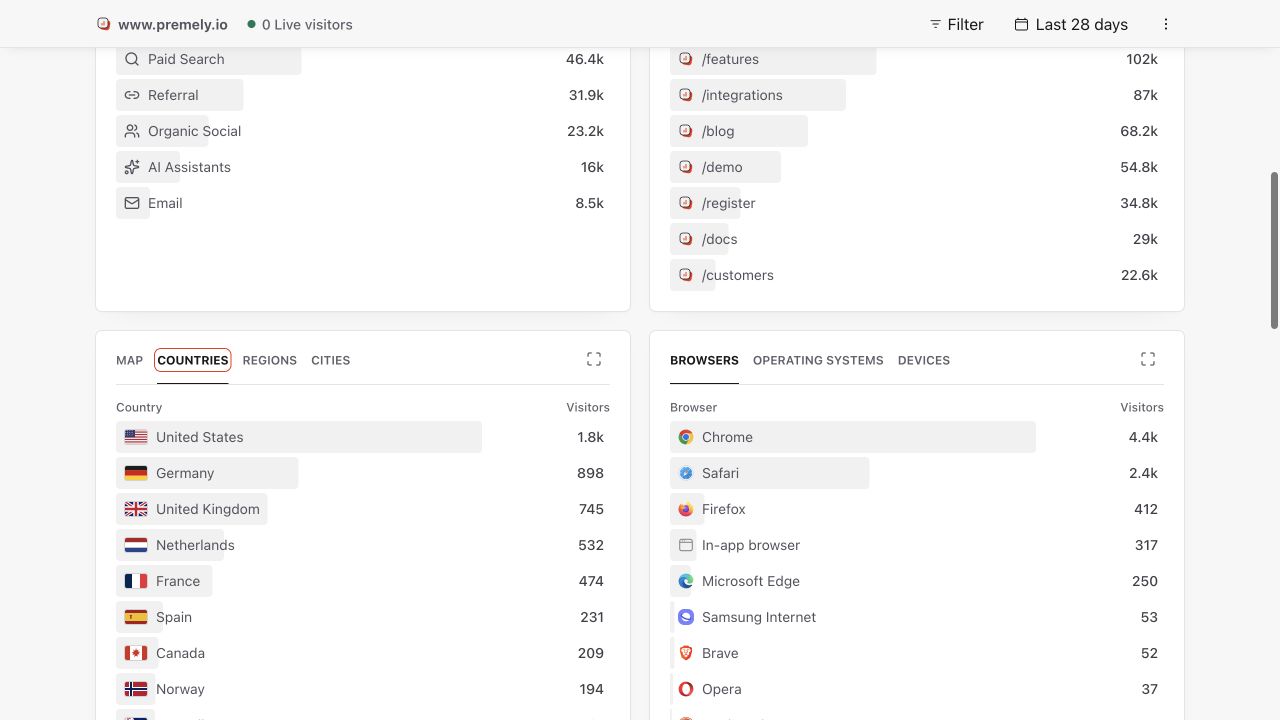
Use country data as approximate visit context and confirm any decision with direct testing. Shown in Premely with disposable demo data; your values will differ.
- 2
Review Devices
Compare device categories to understand the technical context in which visits occurred. Use this as a starting point for responsive design or testing questions.
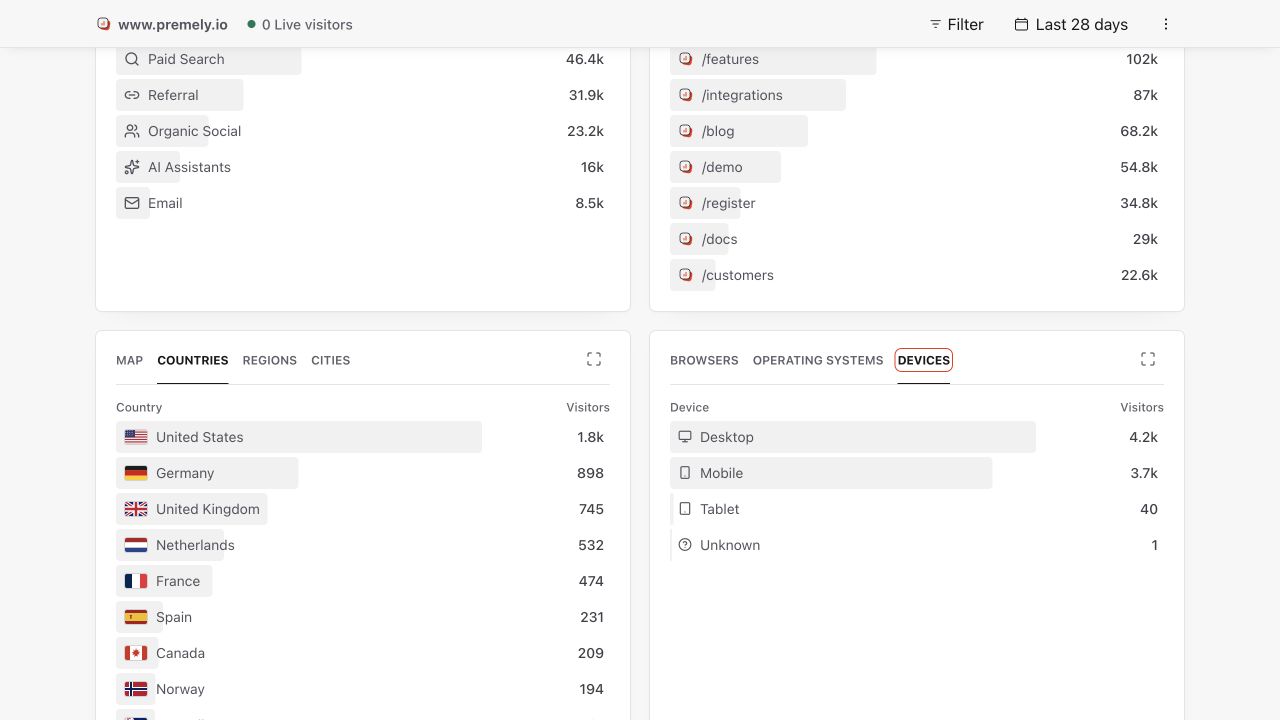
Use device data to locate a likely experience issue, then test the real page at the relevant viewport. Shown in Premely with disposable demo data; your values will differ.
- 3
Review Browsers
Compare browser families when a journey may behave differently across rendering engines. Treat the report as a testing priority, then reproduce the issue in the real browser.
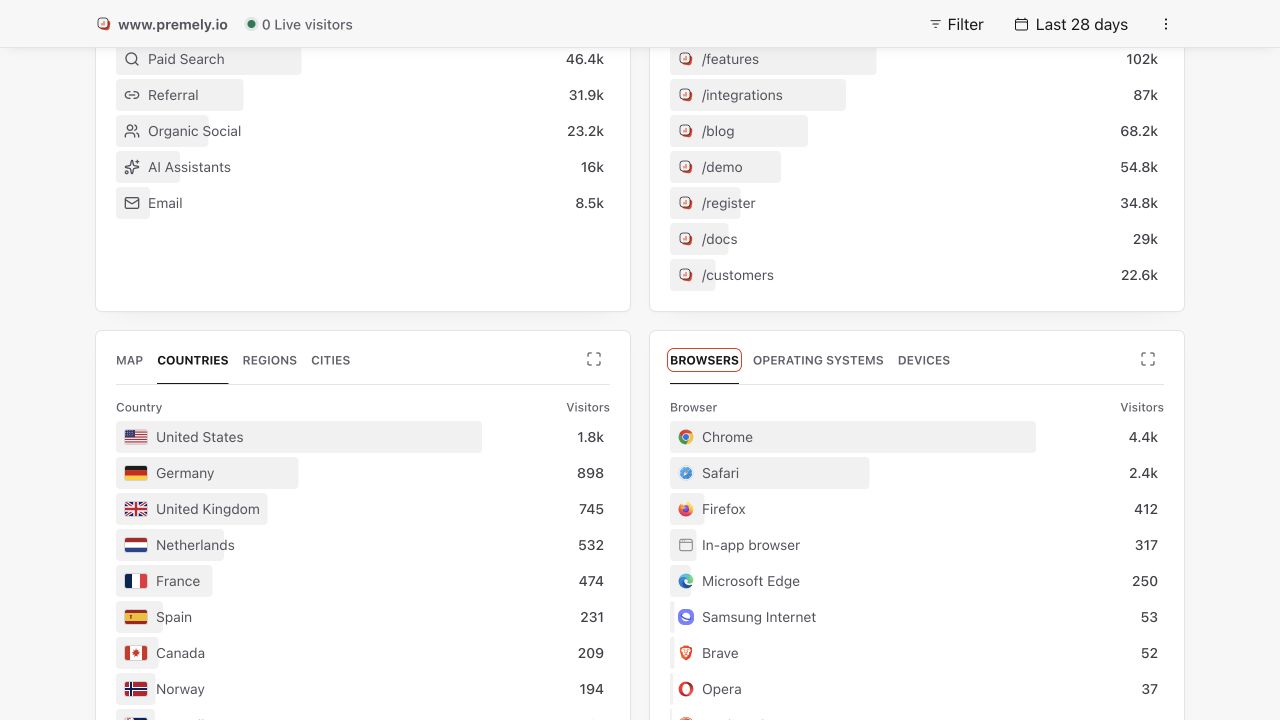
Use browser data to identify a test target, then reproduce the journey in that browser before changing the site. Shown in Premely with disposable demo data; your values will differ.
- 4
Apply one location or device filter
Use Country, Region, City or Device only when it tests a specific explanation. Read the applied filter before interpreting the headline metrics.
- 5
Compare behaviour and outcomes
Check engagement and conversion results for the filtered context. A device with a different conversion rate may reflect traffic source, page mix or sample size as well as the device experience.
- 6
Confirm with direct testing
Use analytics to locate a likely issue, then test the actual page on the relevant viewport, browser or regional setup before changing the site.
What to expect
Context is not identity
Country and device values describe visit context. They do not identify an individual visitor or provide a complete demographic profile.
Small groups move quickly
A few visits can cause a large percentage change in a filtered country or device group. Read the visitor and conversion counts before the rate.
Useful ways to apply this
Investigate mobile conversion
Filter by device, compare the matching conversion count and rate, then test the most relevant journey on the real viewport.
Review a regional campaign
Filter by the target country and campaign source, then compare traffic and completed goals for the campaign period.