
Manage your workspace
Export analytics data
Prepare a bounded site export for an approved offline workflow.
What it is
A site export prepares a recent, site-scoped analytics file. Export supports CSV, NDJSON and Parquet for the latest 30 days.
Why use it
Use an export when a team needs a bounded copy of recent site analytics for an approved offline workflow.
Before you start
- Check that you are in the correct site and have access to its Data section.
- Plan to download the file promptly. Completed downloads are designed to expire after 24 hours.
How to use it
- 1
Open Exports
From Site settings, open Exports.
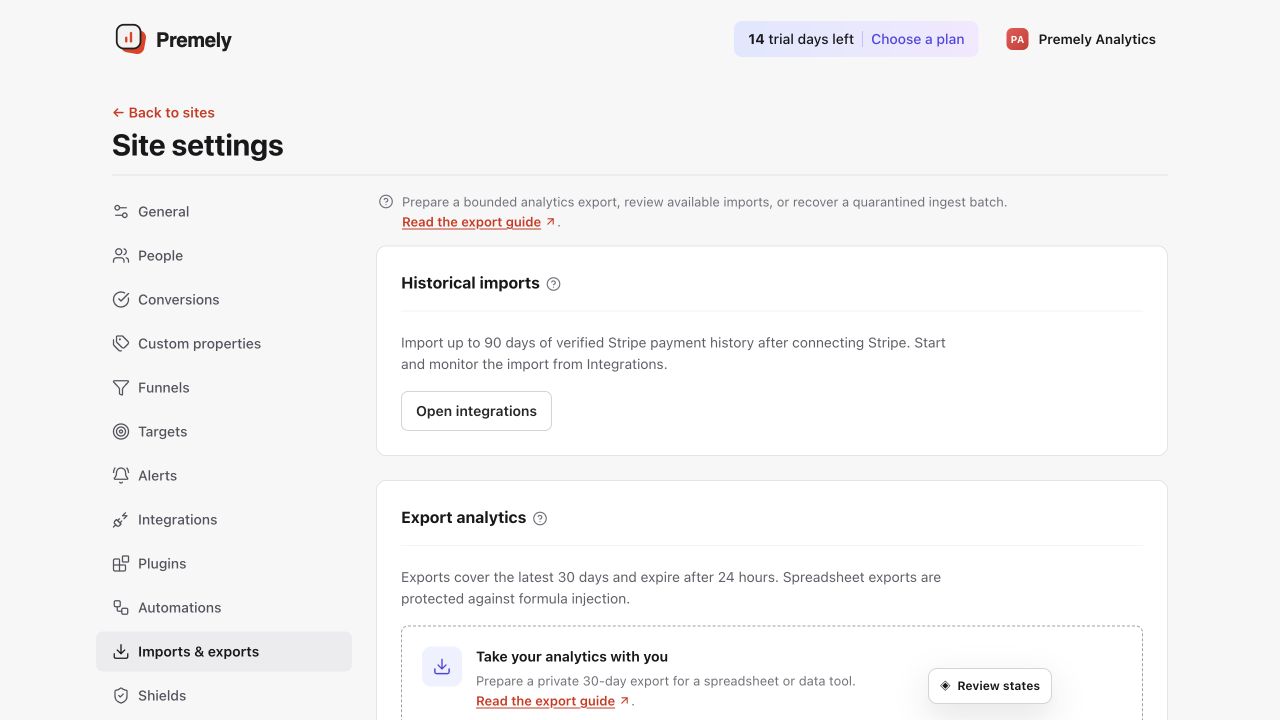
Choose the needed export, request it once and monitor the displayed status. Shown in Premely with disposable demo data; your values will differ.
- 2
Choose the format
Use CSV for spreadsheet work, NDJSON for line-based data processing or Parquet for supported analytical workflows.
- 3
Create one export
Request the bounded site export, then wait for the status to show whether the job completed or failed.
- 4
Download and store it safely
Use the private download from the site context. Treat the file as sensitive business data and do not share it more widely than needed.
What to expect
Exports are site-scoped
The current surface exports recent site analytics. It is not a complete workspace portability bundle.
Completion is explicit
A failed or expired export is not a completed one. Use the shown status before assuming that a file is available.
Useful ways to apply this
A focused analysis
Use a CSV when a team needs to review a recent site period in a spreadsheet.
An approved data workflow
Use NDJSON or Parquet only when the receiving workflow supports the chosen format and access is authorised.