
Learn analytics
Analyse top pages and page performance
Use page-level traffic with engagement and conversions to find content worth improving.
What it is
The Top Pages report groups recorded pageviews by page path and shows where measured visitors were active during the selected period. Page-level results give the site-wide totals a specific content context.
Why use it
Use this report to find high-traffic pages, investigate a page affected by a campaign or release, and connect page activity to the outcome the page is meant to support.
Before you start
- Choose the site and period before comparing pages. A page ranking can change because the traffic mix changed, even when the page itself did not.
- Define the page's purpose, such as informing a reader, starting signup or completing a lead action, before you judge its performance.
How to use it
- 1
Open Top Pages
Review the page paths with the most measured visitors for the selected range. Use the path to distinguish pages with similar titles or content roles.
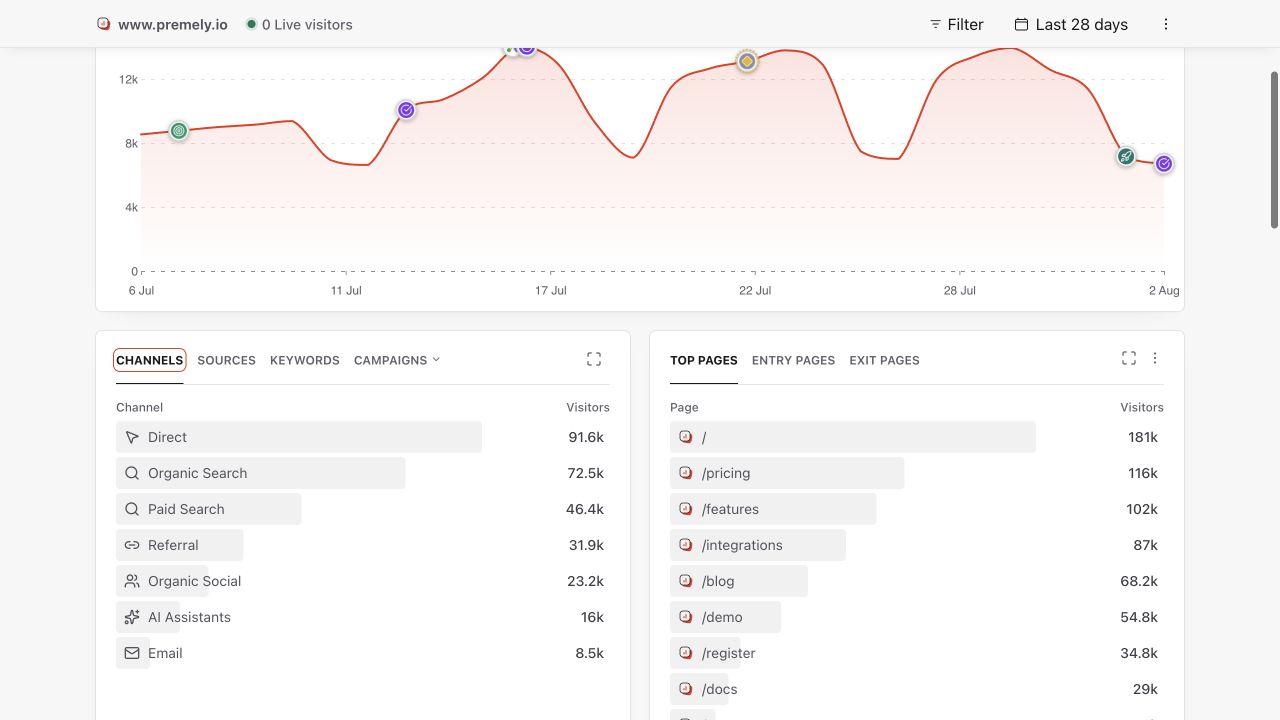
Use the ranked page list to find important landing and content pages, then compare outcomes separately. Shown in Premely with disposable demo data; your values will differ.
- 2
Read page activity with site traffic
Compare the page's visitor activity with total visitors and pageviews. A top page tells you where activity occurred, not whether the page achieved its intended outcome.
- 3
Check the source behind the page
Use traffic sources when a campaign or referrer may explain the page's activity. Keep the same date range while moving between reports.
- 4
Add the relevant conversion
Review the goal or funnel that represents success for the page. For an action without a unique completion page, use a custom conversion event.
- 5
Prioritise the next change
Prioritise pages with meaningful traffic and a clear gap in the intended outcome. Record the baseline metric before changing copy, layout or the conversion path.
What to expect
Traffic is not performance by itself
A heavily visited page can still underperform its purpose, while a lower-volume page can be commercially important. Use the matching conversion count and rate.
Path changes split history
If a page moves to a new path, activity can appear under separate rows. Compare the relevant old and new paths rather than assuming one continuous page record.
Useful ways to apply this
Improve a landing page
Compare its traffic source, engagement and conversion goal before and after a change across equivalent periods.
Find content opportunities
Use high-traffic informational pages to identify where a relevant next step or internal link could help more visitors continue.