
Integrations
Connect HubSpot CRM
Import bounded HubSpot CRM context without inventing visitor identity.
- HubSpot CRM

What it is
Premely imports bounded contact, company, lifecycle and deal context into the dedicated CRM connection.
Why use it
Use authorized CRM context with Premely only where an explicit deterministic link exists.
Before you start
- You need owner or admin access in the Premely workspace.
- You need access to the provider account or Page you want to report on.
- If Premely shows Provider setup is still required, this connection is not available yet. You do not need to create your own developer app or API credentials to work around that message.
How to use it
- 1
Open the provider connection
Open your site's Settings, choose Integrations, find HubSpot CRM and choose Configure. Check the displayed status. Continue only when Connect is available; Provider setup is still required means you cannot finish setup yet.
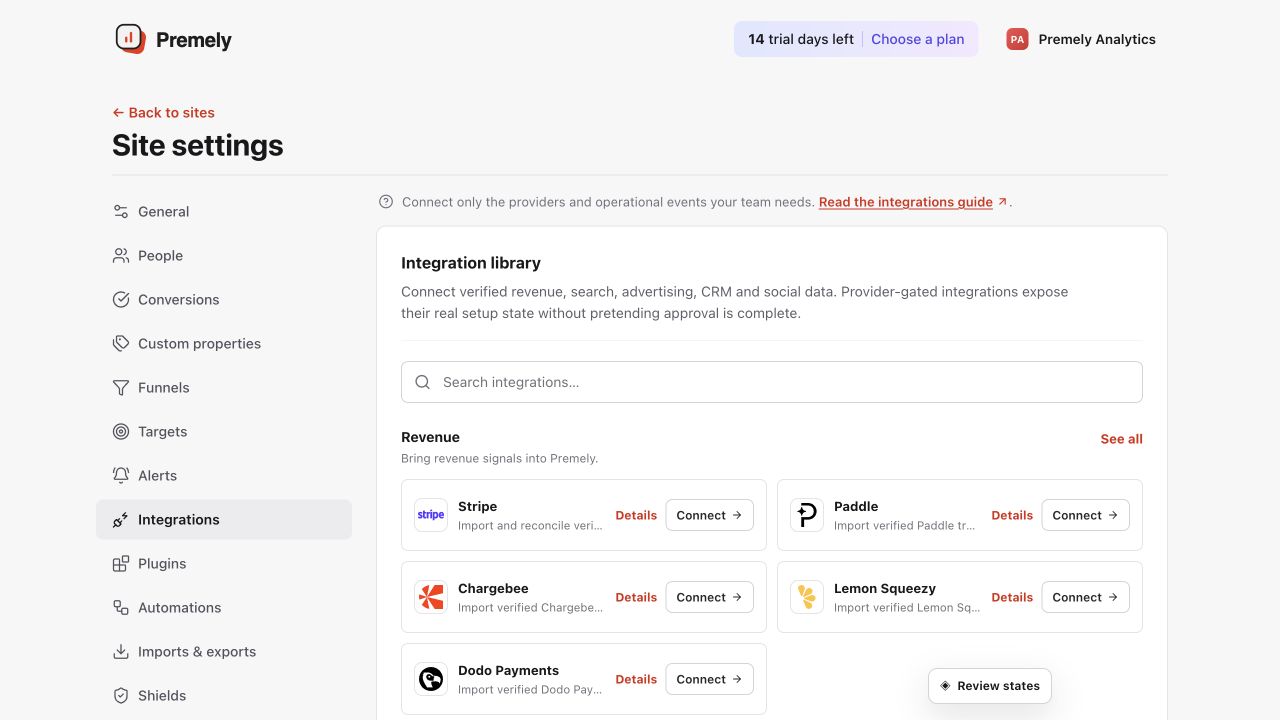
Open the connection that matches your provider and use its displayed status as the source of truth. Shown in Premely with disposable demo data; your values will differ.
- 2
Authorize the provider
Choose Connect HubSpot CRM. On the provider's authorization screen, check the signed-in account and requested permissions before approving access. Return to the same Premely site when authorization finishes.
- 3
Check the connected account or Page
Authorize the intended HubSpot account. Premely imports bounded pages and stores linkage only where explicit evidence exists. Check that you returned to the intended Premely site before refreshing the connection.
- 4
Verify the first completed sync
Choose Refresh now and wait for Last successful sync to show a date and time. Review the imported totals or record counts in the connection. If the status says Needs attention, read the displayed error and check the provider account's permissions. Connected alone does not mean the first import has finished.
What to expect
Premely manages provider app approval
If Provider setup is still required appears, the connection cannot be completed yet. You do not need to apply for developer access or create an API app yourself.
Chart data stays canonical
CRM source labels do not overwrite tracker attribution. Deal value does not become recognized revenue without a separate verified revenue ledger entry.
Identity is never inferred
A CRM person can appear as a Premely person only after deterministic contact-to-tracker linkage. Unlinked contacts remain CRM-only context.
Disconnect revokes future access
Disconnecting queues provider-token revocation and stops future syncs. Existing accepted evidence follows the site's retention and deletion controls.
Useful ways to apply this
Check the first import
Use the same account, currency and completed date range in both products before comparing totals. Provider clicks and reported conversions are not the same measurements as Premely visits and goals.