
Get started
Choose an install path
Choose a direct or guided installation path for your website.
What it is
Premely offers a direct script path and guided paths for selected website platforms. Choose the route that best matches how your site is built.
Why use it
Use this guide to choose the least complicated installation path for a site.
Before you start
- Create the site in Premely before choosing an installation path.
- Use one installation method at a time. Remove an existing Premely installation before you switch methods.
How to use it
- 1
Start from the site setup flow
Open the site’s setup or installation section so Premely can show the paths available to that site.
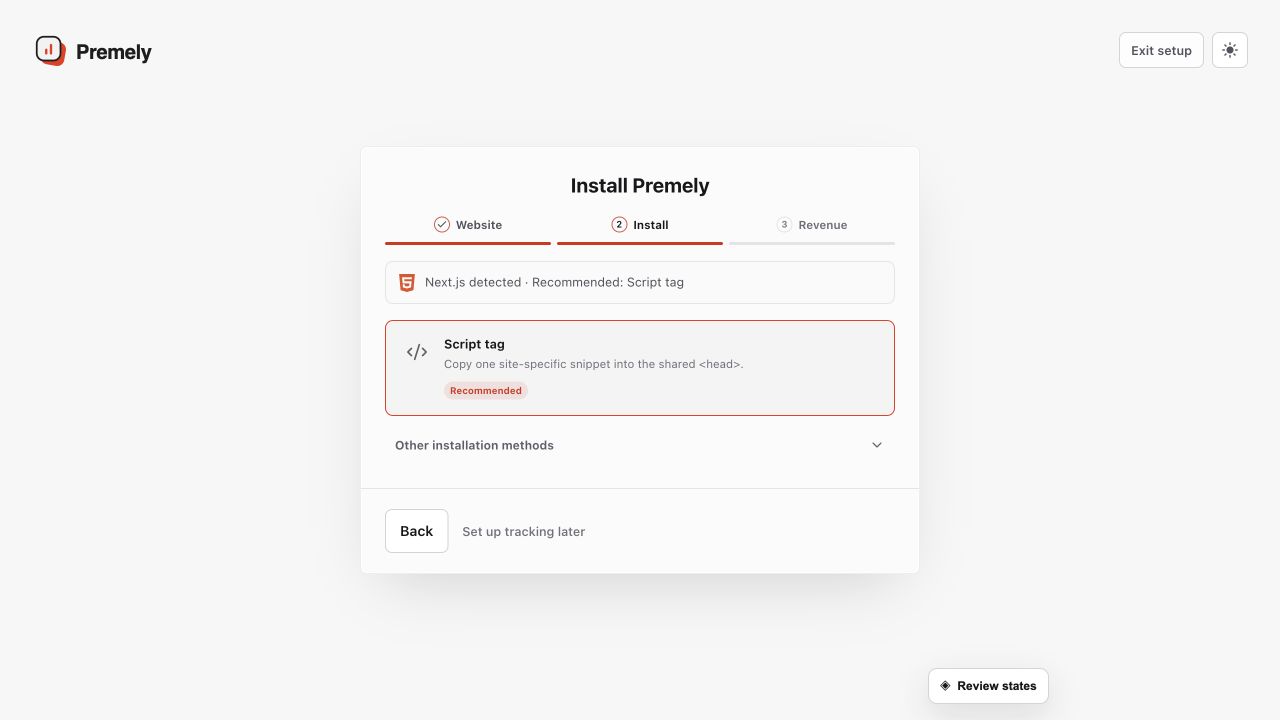
Choose one installation path for the site and avoid leaving a second Premely installation active. Shown in Premely with disposable demo data; your values will differ.
- 2
Prefer the direct path when it is shown
Use the generated
scriptinstructions when you can edit the site’s sharedheadarea. - 3
Use the matching guided path
Choose the Shopify installer, Webflow installer or Wix app when it matches your site. Follow its in-product steps instead of copying a connection from another account.
- 4
Verify the result
Publish the site change, visit the public site and return to the connection status before moving on.
What to expect
Keep one tracker active
Using more than one Premely installation can duplicate pageviews. Remove the previous install before you change methods.
Verification completes setup
Publish the change, visit the site and use the connection status to confirm the first event arrived.
Useful ways to apply this
A custom website
Use the direct script path when the team controls the shared site head.
A supported site builder
Use the guided path when it matches the way the site is built and managed.