
Plugins
Install Premely on Framer
Connect your Framer site to Premely, the revenue-first, privacy-first analytics platform. Install the official plugin and verify the first measured visit.
- Framer

What it is
Premely is a revenue-first, privacy-first analytics platform, not a Framer-only product. Its official Framer plugin connects a Framer site to the same platform by adding a plugin-owned custom-code entry at the end of the site head. It preserves unrelated custom code and can remove only the code it installed.
Why use it
Use the Framer plugin when your site is built in Framer and you want a site-wide installation without editing code manually.
Before you start
- Create the published Framer hostname as a site in Premely first.
- Choose either the Framer plugin or a manual header script. Do not keep both active.
How to use it
- 1
Open the Premely plugin in Framer
Add or open the Premely Analytics plugin from the Framer project.
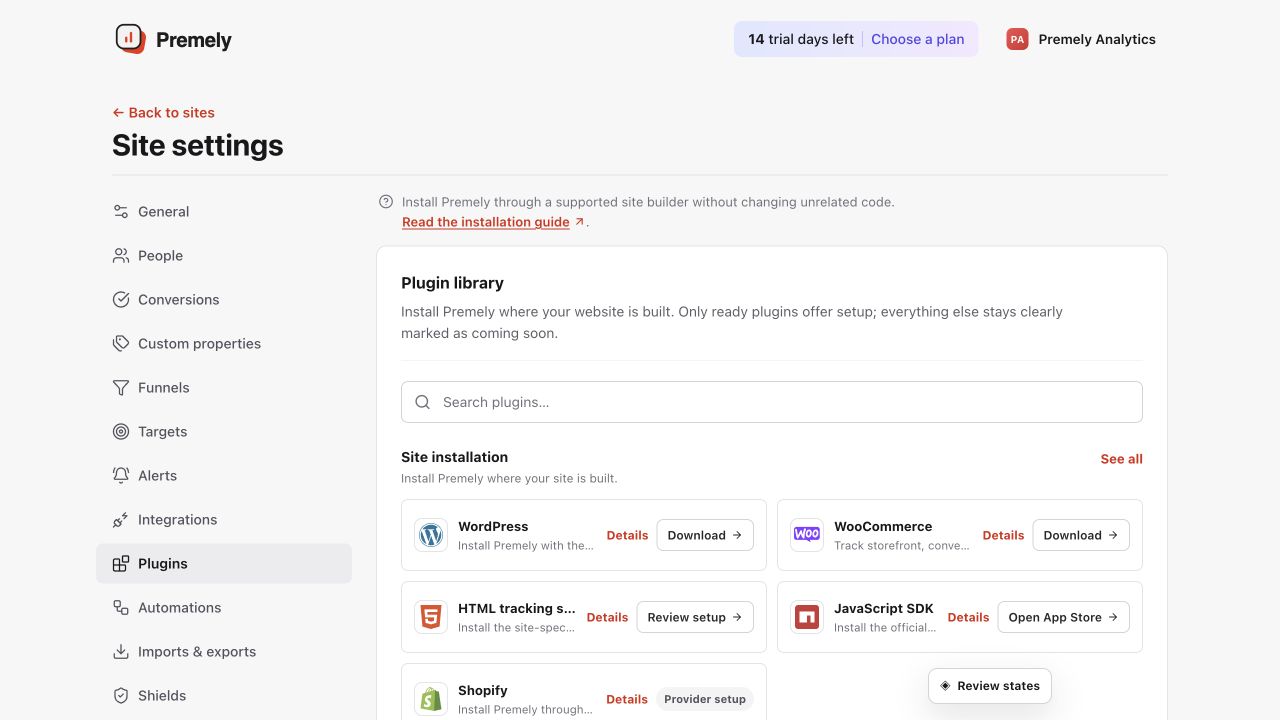
Open Framer from Plugins, install it for the correct site and verify the published hostname. Shown in Premely with disposable demo data; your values will differ.
- 2
Enter the site details
Enter the published hostname and public site key for the matching Premely site.
- 3
Install Premely
Choose Install Premely. The plugin creates or updates its own site-wide custom-code entry without replacing other code.
- 4
Publish and verify
Publish the Framer site, visit the public page, then check the Premely connection status. The Framer canvas alone does not confirm that the code is live.
What to expect
Updates are safe to repeat
Running the plugin again updates its own entry instead of adding a second Premely loader.
Other custom code is preserved
Removing Premely through the plugin targets the plugin-owned entry only. It does not remove code added by people or other plugins.