
Automations
Automation destinations
Send selected Premely events to the communication and automation tools your team uses.
- Slack
- Discord
- Microsoft Teams
- Zapier
- Make
- n8n





What it is
Automation destinations send selected Premely events to a chosen provider. Use a provider-specific webhook URL, select the events to send and test the connection before you rely on it.
Why use it
Use this guide to choose a destination, limit it to meaningful events and keep each connection easy to identify.
Before you start
- You need owner or admin access to manage automation destinations.
- Treat a webhook URL like a password. Premely stores it encrypted and only shows the hostname after you save it.
How to use it
- 1
Open Automations
From Site settings, open Automations. Review the available destinations before choosing the tool that should receive the events.
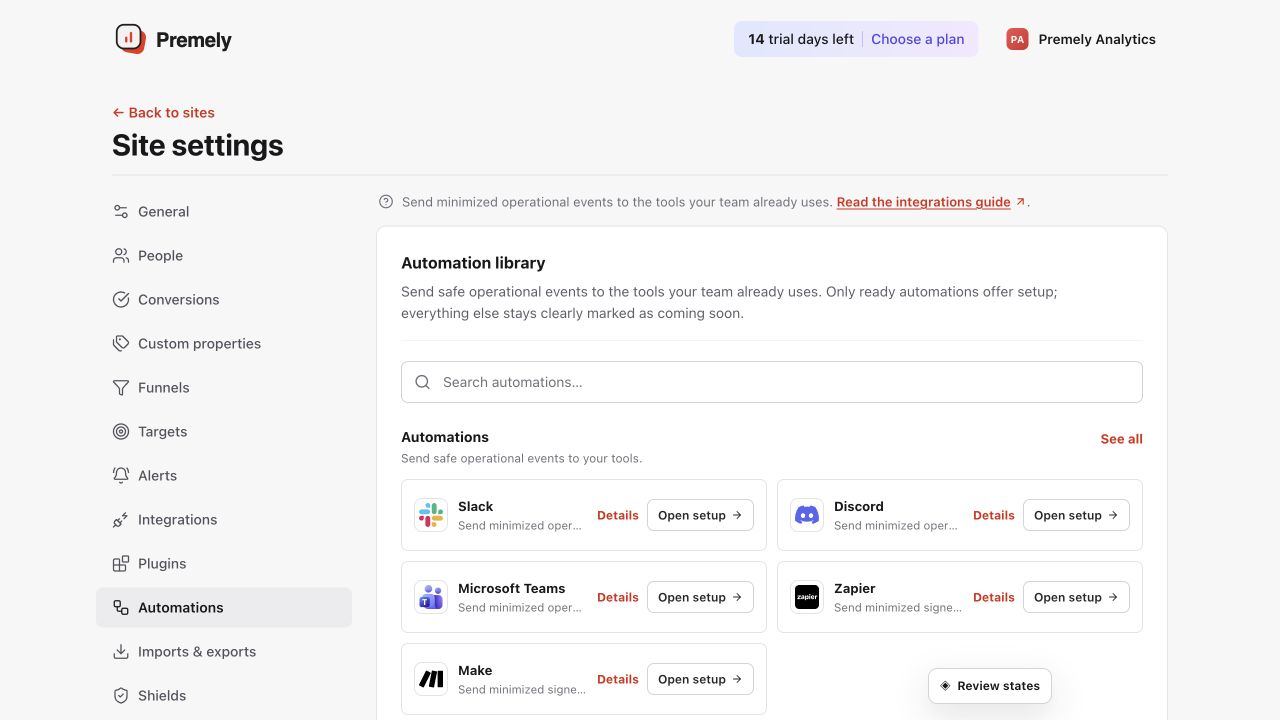
Choose the destination first, then configure only the events the receiving workflow needs. Shown in Premely with disposable demo data; your values will differ.
- 2
Choose a provider
Choose a Signed webhook for an endpoint you control, or use Slack, Discord, Microsoft Teams, Zapier, Make or n8n.
- 3
Select events and test delivery
Choose only the events that matter, save the destination, then send a test. A successful test confirms the provider received the message.
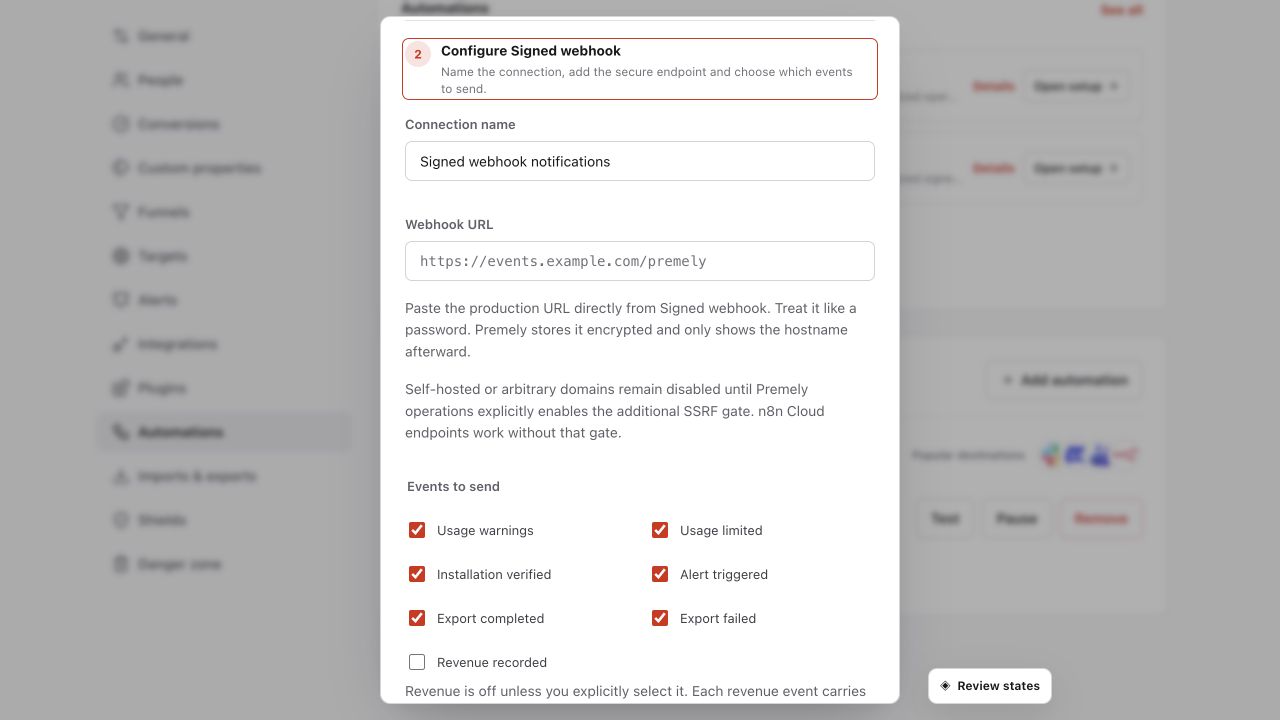
Use an HTTPS endpoint, select only required events and retain the generated signing secret securely. Shown in Premely with disposable demo data; your values will differ.
What to expect
Connections can be paused
Pause a destination while you change its workflow, then resume it after you send a new test.
Each provider uses its own URL
Use the exact webhook URL issued by the destination provider. Do not reuse a URL from another provider or workspace.
Useful ways to apply this
An installation check
Send installation.verified.v1 to tell the team when a site has confirmed its first event.
An operational workflow
Use alert.triggered.v1, export.completed.v1 or revenue.recorded.v1 only when the receiving workflow has a clear next action.