
MCP
Connect an MCP client
Connect a compatible MCP client to scoped Premely analytics, resources and prompts.
What it is
MCP access lets a supported AI client use the Model Context Protocol to work with scoped Premely analytics, sites, goals and funnels.
Why use it
Use MCP when you want an AI client to answer questions from your real Premely workspace context without giving it unrestricted account access.
Before you start
- You need owner or admin access in the workspace.
- Use an MCP client that supports the connection details shown in Premely.
How to use it
- 1
Open MCP settings
Open Settings, then choose MCP.
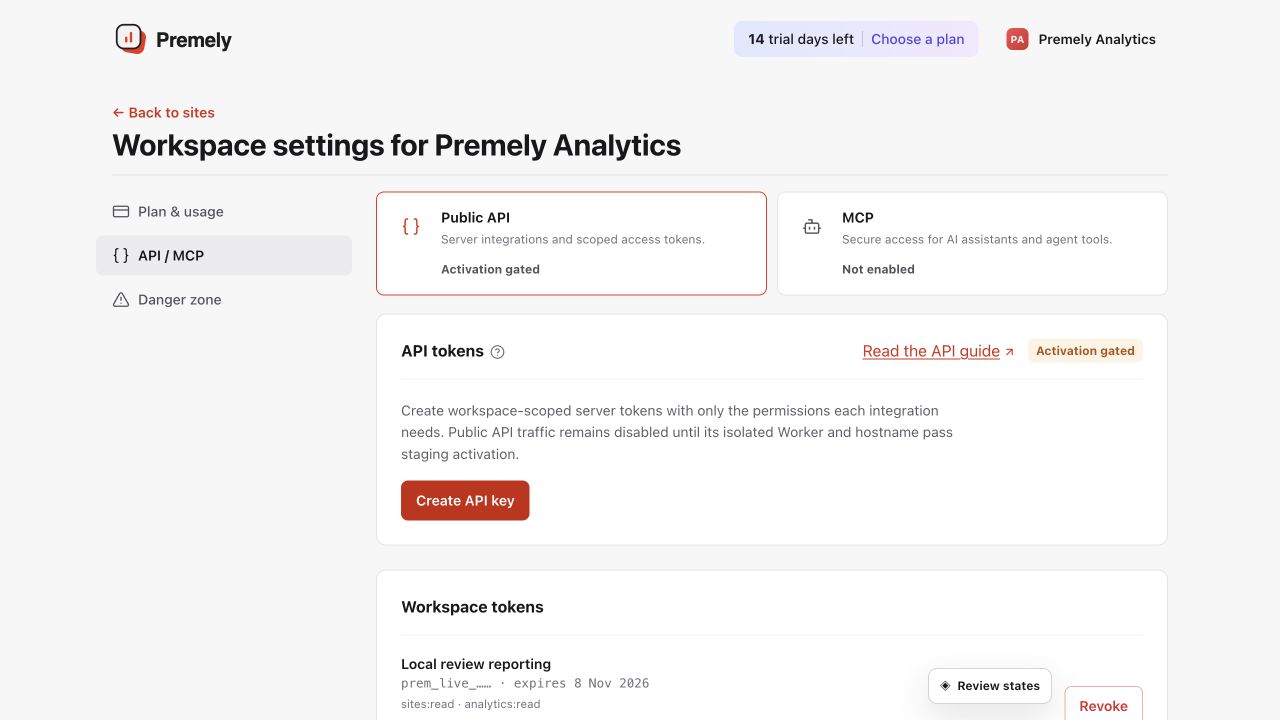
Connect the intended client to the correct workspace and grant only the permissions it needs. Shown in Premely with disposable demo data; your values will differ.
- 2
Create a scoped MCP token
Create a token with
mcp:useand only the read permissions your client needs, such asanalytics:read. - 3
Copy the connection details
Use
https://mcp.premely.io/mcpas the remote server URL and add the token as a bearer credential. Store the token as a secret, never in source control or a shared document. - 4
Confirm the workspace boundary
Ask the client for the selected site or a read-only analytics view first. Confirm that it can see only the workspace and scopes you intended.
MCP connection details
On smaller screens, scroll horizontally to see all columns.
| Field | Value |
|---|---|
| Server URL | https://mcp.premely.io/mcp |
| Transport | Stateless Streamable HTTP with one JSON-RPC request per POST. |
| Protocol version | 2026-07-28 |
| Authentication | Authorization: Bearer pm_api_v1_... |
| Required token scope | mcp:use, plus the scopes required by each visible tool or resource. |
| Response types | application/json or text/event-stream as negotiated by the client. |
Discover the MCP server
Use discovery to confirm the protocol, server identity and capabilities before listing tools. Most compatible clients perform this automatically.
curl --request POST 'https://mcp.premely.io/mcp' \
  --header "Authorization: Bearer $PREMELY_API_TOKEN" \
  --header 'Content-Type: application/json' \
  --header 'Accept: application/json, text/event-stream' \
  --header 'MCP-Protocol-Version: 2026-07-28' \
  --header 'Mcp-Method: server/discover' \
  --data '{
    "jsonrpc": "2.0",
    "id": 1,
    "method": "server/discover",
    "params": {
      "_meta": {
        "io.modelcontextprotocol/protocolVersion": "2026-07-28",
        "io.modelcontextprotocol/clientInfo": {
          "name": "premely-client",
          "version": "1.0.0"
        },
        "io.modelcontextprotocol/clientCapabilities": {}
      }
    }
  }'
Connection boundaries
- Premely uses stateless Streamable HTTP. It does not expose a legacy HTTP+SSE endpoint, protocol sessions, batch requests or a browser CORS surface.
- The catalog is filtered to the token scopes. A client cannot discover a tool, resource or prompt it is not allowed to use.
- Use a separate named token for each client so access can be reviewed and revoked independently.
- All analytics are aggregate. MCP does not return raw events, visitor identifiers or session identifiers.
- Requests are limited to 64 KiB, responses to 128 KiB and each token to four concurrent MCP calls.
MCP errors and retries
Premely returns a safe JSON-RPC error for request-level failures. A tool execution failure is returned as an MCP tool result with isError: true and HTTP 200, as required for a completed tools/call exchange.
On smaller screens, scroll horizontally to see all columns.
| HTTP status | Meaning | Client action |
|---|---|---|
400 | Invalid JSON-RPC envelope, headers, method parameters or arguments. | Correct the request before retrying. |
401 | Missing, invalid, expired or revoked bearer token. | Use a valid dedicated token. |
403 | The token lacks mcp:use, another required scope or site access. | Grant only the required permission or choose an authorized site. |
404 | Unknown method, tool, prompt or resource URI. | Refresh the catalog and use an exact listed name or URI. |
405 | The endpoint received a method other than POST. | Send one JSON-RPC request by POST. |
413 | The request exceeded 64 KiB. | Reduce the request body. |
429 | The token rate limit or four-call concurrency limit was reached. | Wait for Retry-After, then retry with backoff. |
500 / 503 / 504 | A bounded internal, availability or timeout boundary stopped the request. | Retry a read with backoff. Keep export requests idempotent. |
What to expect
The token controls the available tools
An MCP client can access only the Premely resources and actions covered by its token scopes.
Exports require an explicit confirmation
When an MCP workflow prepares an export, Premely requires an explicit confirmation before it creates the export action.
Useful ways to apply this
A data-informed question
Ask a supported AI client to compare current traffic, goals and funnels for a selected site.
A controlled export workflow
Use the MCP export action when an approved workflow needs a bounded analytics export with a clear confirmation step.