
Automations
Connect Make
Send selected Premely events to a Make custom webhook.
- Make

What it is
The Make destination sends Premely’s signed event envelope to the custom webhook in your Make scenario.
Why use it
Use Make when a Premely event should start or enrich an automation scenario.
Before you start
- Create a custom webhook in the Make scenario you want Premely to start.
- You need owner or admin access in the Premely workspace.
How to use it
- 1
Choose Make
From Automation destinations, choose Make.
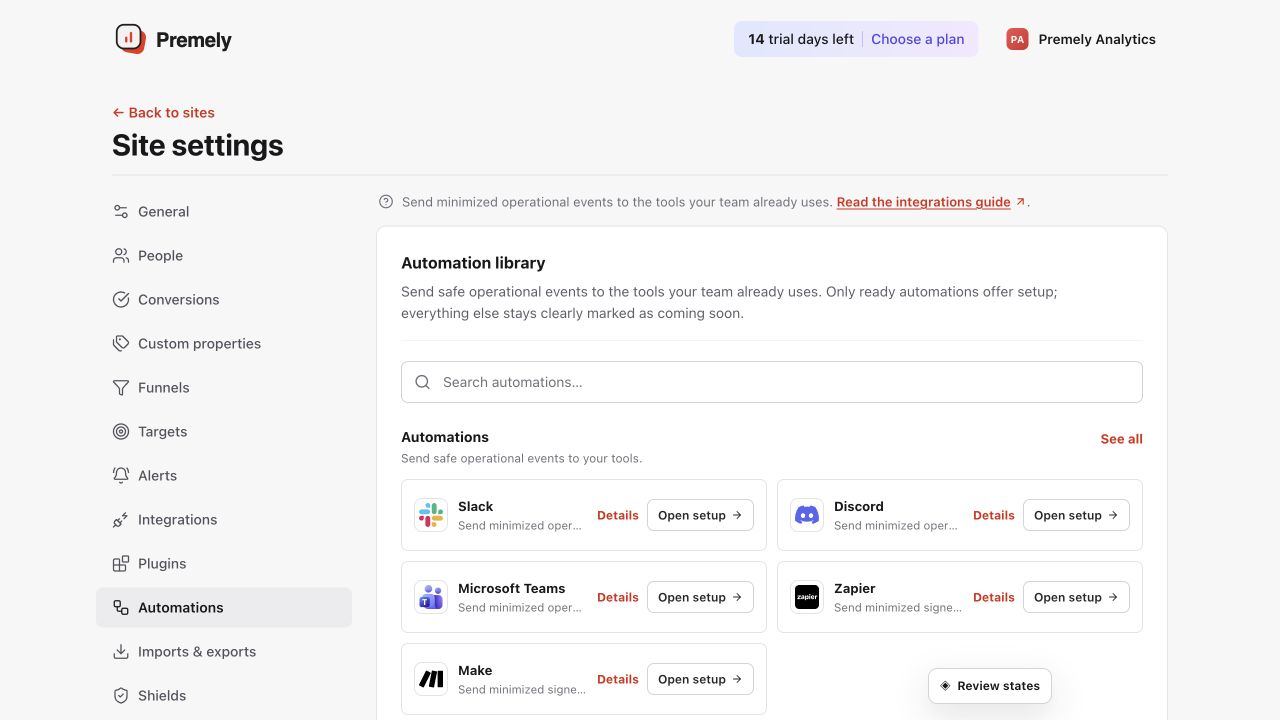
Choose Make, paste the custom webhook URL and test the selected signed events. Shown in Premely with disposable demo data; your values will differ.
- 2
Create the custom webhook in Make
In Make, add a Webhooks custom webhook to the scenario and copy the generated webhook URL.
- 3
Paste the webhook URL
Paste the generated Make URL into Premely, then choose the events that should start the scenario.
- 4
Save and test the destination
Save the destination, send a test from Premely and use the received data to finish mapping the scenario in Make.
What to expect
Events use a signed envelope
Premely sends the Make destination a signed event envelope so the scenario can identify the delivery source.
Use the scenario’s exact URL
A Make custom webhook URL belongs to one scenario. Update the destination when you replace or rotate it in Make.